


How to Clean iPhone Charging Port Without Damage

To clean an iPhone charging port without damage, unplug your phone, turn it off, and inspect the opening with a flashlight. Use a dry, lint-free cloth around the opening, keeping it out of the port. If lint is packed inside, have a technician clean it rather than digging it out. If you see a liquid alert, leave the cable disconnected and let the connector dry in a well-ventilated area.
This guide explains which tools to avoid, how to inspect the port safely, and what to check if your iPhone still won’t charge. It also covers wireless charging while the port is unavailable.
Can You Use Compressed Air to Clean an iPhone Charging Port?
No. Apple advises against compressed air when cleaning an iPhone. Blowing into the port by mouth can also introduce moisture.
Which Tools and Cleaning Products Should You Avoid?
Avoid sharp objects, liquids inside the connector, and materials that may leave residue. Scraping with a rigid tool can damage contacts or leave fragments behind.
A tool that fits inside the port is not necessarily safe to use there. Screen-cleaning kits are not automatically suitable for charging connectors, either.
| Tool or product | Why to avoid it inside the port | Better next step |
|---|---|---|
| Needles, paper clips, or SIM tools | Rigid, sharp tips can scratch or damage delicate parts. | Inspect with a light; have lodged debris assessed. |
| Wooden toothpicks | They can splinter or damage contacts when used to dig. | Do not scrape the port walls or contacts. |
| Cotton swabs or tissues | Fibers can remain in the opening. | Use a lint-free cloth around the exterior only. |
| Alcohol, water, or cleaning spray | They introduce moisture into the connector. | Keep liquids out of openings. |
| Sticky putty or cleaning gel | Material may remain inside a narrow connector. | Avoid pressing adhesive material into the port. |
Apple permits specific disinfecting wipes on the phone’s exterior, but moisture should stay out of openings. Don’t drip alcohol into the port or use a wet swab inside it.
How Can You Safely Check and Clean an iPhone Charging Port?
Start with a visual check and a gentle wipe around the opening. If you need to dig inside to reach the debris, stop and ask a repair technician to clean the port.
-
STEP 01 Disconnect
Remove cables and turn the iPhone off.
-
STEP 02 Look, then wipe
Check with a flashlight and wipe around the opening.
-
STEP 03 Know when to stop
Get help for packed lint or signs of damage.
Unplug Your iPhone and Turn It Off
Unplug all cables and turn your iPhone off. Take off the case if it blocks your view. Set the phone on a stable surface and grab a flashlight and a clean, dry, lint-free cloth.
Inspect the Port and Clean Around the Opening
Shine the light toward the connector without inserting anything. Look for lint, anything blocking the opening, or unusual discoloration. You may spot a blockage this way, but a port that looks clean can still have a charging problem.
A USB-C port has a small tongue in the center; a Lightning port is shaped differently inside. Don’t poke around either one. Use the cloth to wipe the phone’s surface around the opening, keeping the cloth itself out of the port.
This should remove loose dust from around the opening. If you can still see lint lodged inside, leave it there for a technician rather than trying to scrape it out.
Stop if Debris Is Lodged Inside
If debris is stuck inside, book a professional cleaning. Stop if you notice possible damage or the cable won’t slide in normally. Pushing harder can make the problem worse.
If a surface wipe isn’t enough, have an Apple Store, Apple Authorized Service Provider, or qualified repair technician check the port and remove the blockage.
Can You Charge Your iPhone Wirelessly While the Port Is Unusable?
Yes, if your iPhone supports wireless charging and the charger is compatible. It lets you top up without using the port, but won’t remove lint or fix damage. Check wireless charging compatibility rather than relying on whether the charger sticks magnetically.
For a liquid-detection alert, Apple allows wireless charging with a Qi-certified charger once the back of the iPhone is dry. See Apple’s liquid-alert guide. Keep the cable unplugged until both the phone’s connector and the cable are dry.
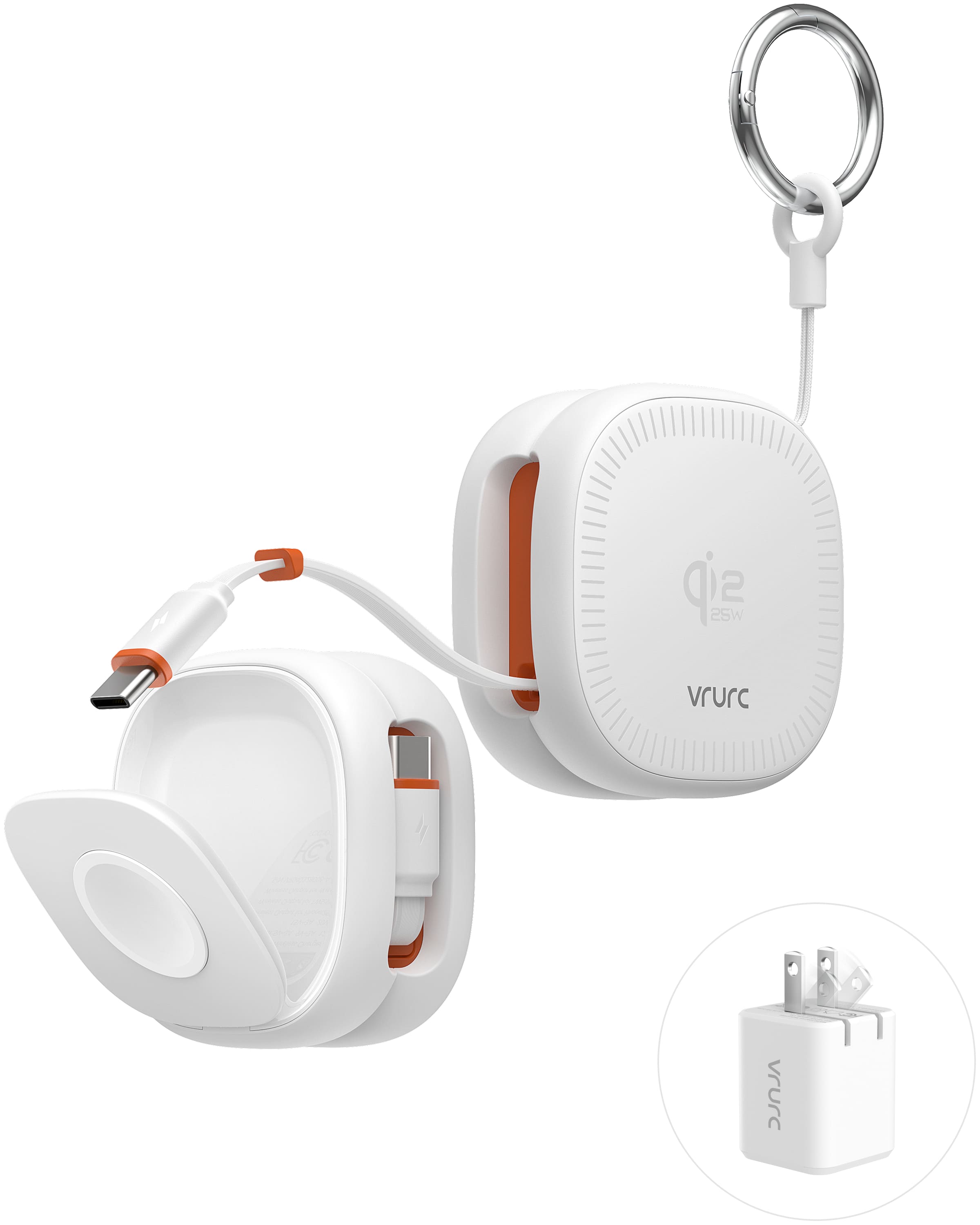
VRURC 3-in-1 Port-Free Charging
Qi2.2 Magnetic Charging up to 25W | Foldable Design | 45W Adapter Included
Use the included adapter. Maximum wireless output depends on the iPhone model. Works with a bare phone or a compatible magnetic case up to 2 mm thick.
If wireless charging doesn’t start, check that the charger has power and the phone is lined up correctly. Try removing the case if the charger’s instructions suggest it. Even if wireless charging works, the port may still need attention.
What If Your iPhone Still Won’t Charge After Cleaning?
Check the charging setup before assuming the port is broken. The cable, adapter, or outlet could be the problem. Try wired charging again only when the connector is dry, clear, and shows no signs of damage.
- Inspect the accessories. Stop using a cable with visible damage or an adapter with bent prongs. Try another suitable cable and adapter.
- Try another wall outlet. Check the connections between the outlet, adapter, cable, and phone. The plug should seat normally without force.
- Restart the iPhone. Reconnect and check whether charging begins.
- If the screen stays black, try a force restart. Use the button sequence for your specific iPhone model.
- Seek service if the problem continues. If the cable only works at an angle or keeps coming loose, have the connection checked instead of cleaning it again.
If the phone still won’t charge, contact Apple Support or a qualified repair provider.
How Can You Keep Dust and Lint Out of the Charging Port?
Keep lint and grit away from the opening. Clear crumbs and fluff out of the pocket or bag compartment where you keep your phone. There’s no need to clean inside the port routinely.
- Keep the phone away from loose sand, crumbs, and dusty storage areas.
- If you choose a case with a port cover, check that it fits your exact model and opens fully for cable insertion.
- Check the cable plug for dirt before plugging it in.
- If the plug no longer seats normally, inspect the opening instead of pushing harder.
A port cover can help keep dirt out, but it won’t make your phone dustproof. Check the opening when a cable feels loose or won’t fit normally; don’t make poking inside it a weekly habit.
Final Thoughts
Keep cleaning to the area around the port. If the cable still won’t seat normally or charging remains unreliable, have the connector checked. To charge without using the port, see VRURC 3-in-1 Port-Free Charging and confirm your iPhone and case are compatible.


