


How Does Wireless Charging Work? A Simple Guide

Wireless charging works by transferring energy through a changing magnetic field. A coil inside the charger creates that field, and a second coil inside your phone receives the energy. Your phone then converts it into electrical power to charge the battery—without a cable plugged into its charging port.
Distance, alignment, and the phone case all affect this transfer. This guide explains those relationships and shows how to position a phone, confirm that charging has started, and check common causes when it has not.
How Does Wireless Charging Transfer Power to Your Phone?
It uses electromagnetic induction: a changing magnetic field from one coil induces a voltage in another. The two coils sit inside separate devices, so no exposed electrical contacts need to touch. See WPC Principle of Inductive Power.
- 1. The charger creates a fieldThe charger drives alternating current through its transmitter coil to create a changing magnetic field.
- 2. The phone receives energyThe field induces an alternating voltage in the phone’s receiver coil.
- 3. The battery is chargedThe phone converts the received power to direct current and regulates it to charge the battery.
The phone also sends control signals to the charger. These allow the charger to adjust or stop power delivery as the device’s charging needs change.
Why Does Your Phone Need to Be Close to the Charger?
The coils transfer energy more effectively when they are close together and properly aligned. A normal phone charging pad is designed for a phone resting on its charging surface, not for powering a phone across a room.
The extent to which the coils share magnetic flux is described as magnetic coupling. Increasing the gap or shifting one coil away from the other reduces coupling. Coil size, shape, and angle also matter, which is why there is no single maximum distance that applies to every charger.
On a flat pad, start with the phone’s back centered over the charging area. With a stand, follow the marked position. Magnetic attachment can help hold a compatible phone in place, but the magnets do not supply the charging energy; the coils still do that job.
What Is Qi Wireless Charging, and How Is Qi2 Different?
Qi, pronounced “chee,” is a wireless charging standard; Qi2 adds standardized magnetic alignment to make positioning easier. Both use the same basic principle of transferring power between coils.
The Wireless Power Consortium maintains the Qi standards. Certification involves testing for safety and interoperability at authorized laboratories. Its WPC Qi and Qi2 Overview distinguishes original Qi2 from Qi2 25W:
| Standard | Positioning | What to Check |
|---|---|---|
| Qi | Typically requires placing the phone over the charging area. | Supported phone model and charging power. |
| Qi2 | Uses magnetic alignment to position compatible devices. | Original Qi2 supports up to 15W; check both devices. |
| Qi2 25W | Builds on Qi2’s magnetic alignment. | Up to 25W requires a compatible phone, charger, and power source. |
A higher wattage rating does not mean every phone will charge at that power. Check the phone’s supported wireless charging standard and the charger’s requirements together. Likewise, adding a magnetic ring does not, by itself, upgrade a phone’s charging electronics or make it Qi2-certified.
Does Wireless Charging Work Through a Phone Case?
Often, yes—provided the case is compatible with the phone and charger. A thin nonmetallic case can allow power transfer, but extra spacing, metal parts, or an unsuitable attachment can interfere.
If charging fails with a case on, remove it and try again in the same position. If that works, check the case’s material, thickness, and any attached wallet or grip. For iPhone, Apple recommends removing thick, metal, or battery cases when troubleshooting slow or failed wireless charging. See Apple Wireless Charging Guidance.
Check the specific case limit. A thickness limit belongs to a particular charging setup, not to wireless charging in general. Remove cards, coins, and loose metal accessories from between the phone and charging surface.
Why Does Wireless Charging Produce Heat?
Some input energy becomes heat in the coils and power-conversion circuitry instead of reaching the battery. Both wireless and wired charging involve energy losses. The amount of heat varies with the hardware, positioning, power level, and surroundings.
A phone can also produce heat from its own workload. Navigation, gaming, or video calls may add to the warmth you notice while charging. That is why the same charging setup can behave differently on a quiet desk and in a sunny car.
If charging pauses because of temperature, move the phone and charger away from direct sunlight and let them return to a normal operating temperature. Apple Charging On Hold Guidance also recommends locking the screen or putting the device to sleep if it is in use. Do not keep repositioning a hot phone in an attempt to force charging to resume.
How Do You Use a Wireless Charger?
Connect the charger to the recommended power source, place a compatible phone on its charging area, and confirm charging on the phone’s screen. If nothing happens, check power, positioning, and the case before assuming the charger is faulty.
- Connect the power. Use the supplied or manufacturer-recommended adapter and cable. Seat both connectors fully, then place the charger on a stable surface with room for ventilation.
- Position the phone. On a pad, place it screen-up with its back over the charging area. On a magnetic stand, attach it in the supported position and make sure it sits securely.
- Confirm the result. Wait a few seconds and look for the phone’s battery charging symbol. A light on the charger may show input power or another status, so check its manual rather than relying on the light alone.
- If it does not start, isolate the cause. Reposition the phone, remove the case and accessories, and check the cable, adapter, and outlet. Confirm compatibility for the exact phone model. If the phone shows a temperature warning, let it recover before retrying.
For an iPhone desk or travel setup, the VRURC 25W Foldable Magnetic Wireless Charger combines magnetic phone charging with a foldable design. Its listed features include up to 25W wireless output for compatible iPhones, a supplied 45W USB-C adapter, an Apple Watch charging module, and a retractable USB-C cable.
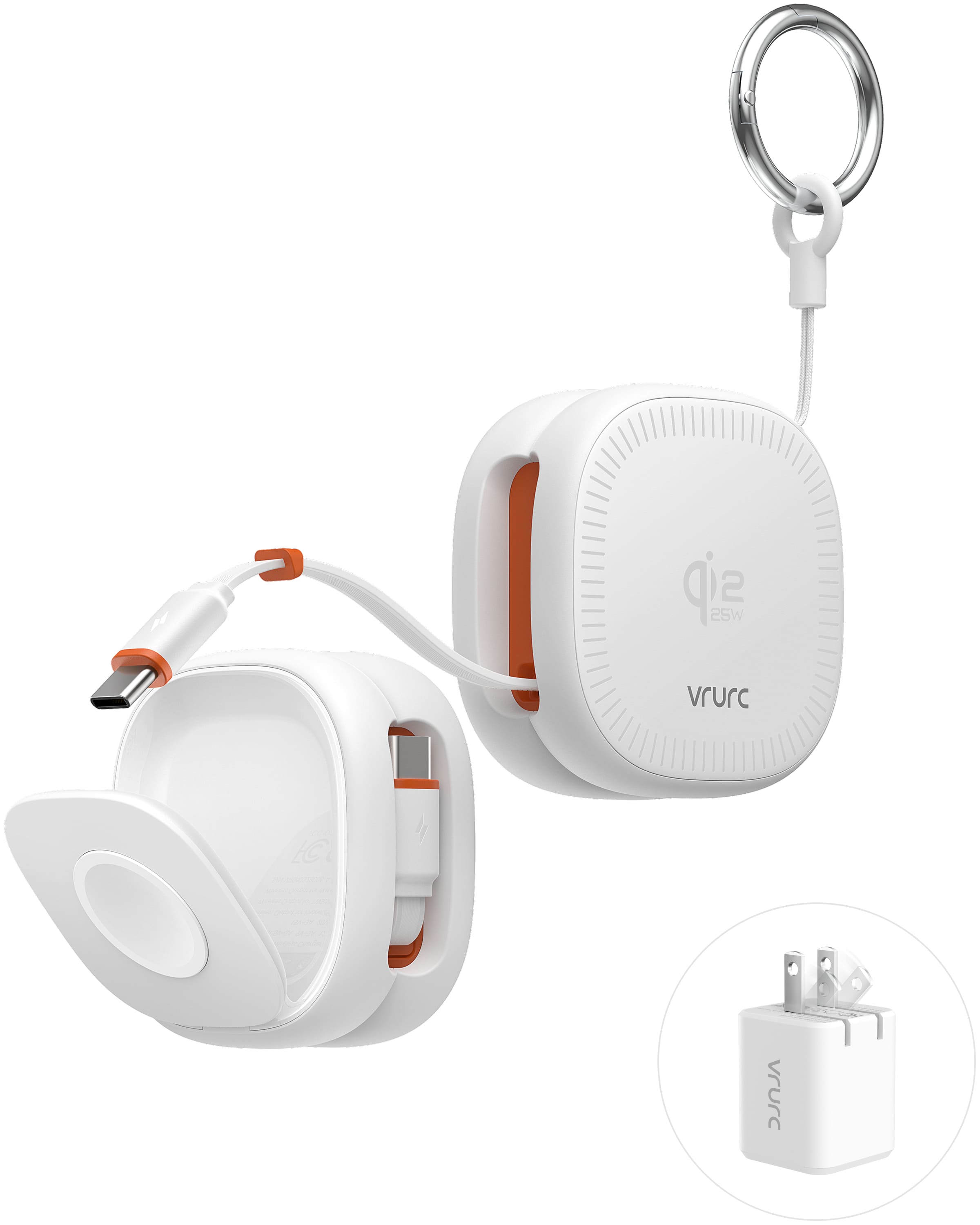
VRURC 25W Foldable Magnetic Wireless Charger
Up to 25W Wireless Output | 45W Adapter Included | Foldable Design
View Current Price
View ProductUse this charger only with the supported iPhone models listed on its product page; it is not intended for Samsung or other Android phones. The listed case requirement is a bare phone or a compatible magnetic case up to 2mm thick.
The 45W figure describes the included adapter, not power delivered wirelessly to the phone. Actual charging power depends on the supported phone and operating conditions.
Frequently Asked Questions
Does a Wireless Charger Still Need to Be Plugged In?
Usually, yes. A charging pad or stand needs external power. A wireless power bank can use its built-in battery instead, but that battery must be recharged. “Wireless” describes the connection from the charger to the phone.
Does Wireless Charging Use Wi-Fi or Bluetooth?
No. Qi wireless charging transfers energy through magnetic induction. You do not need to join a Wi-Fi network or pair the phone over Bluetooth to start a normal Qi charging session.
Can You Use Your Phone While It Charges Wirelessly?
Yes, as long as it stays in the supported charging position. A stand can support reading or video calls while keeping the phone in position. Picking a phone up from a flat pad breaks the charging connection; demanding apps may also add heat and reduce how quickly the battery gains charge.
Final Thoughts
Wireless charging uses two coils, a changing magnetic field, and electronics that manage the received power. Keeping those coils close and aligned explains much of what makes a setup work well—including why the case and phone position matter.
Before choosing a charger, check your phone’s wireless charging specifications, then match the charger, adapter, and case to those requirements. See the VRURC 25W Foldable Magnetic Wireless Charger to review compatibility and included accessories before you buy.


